Accountability
See what happens between sessions
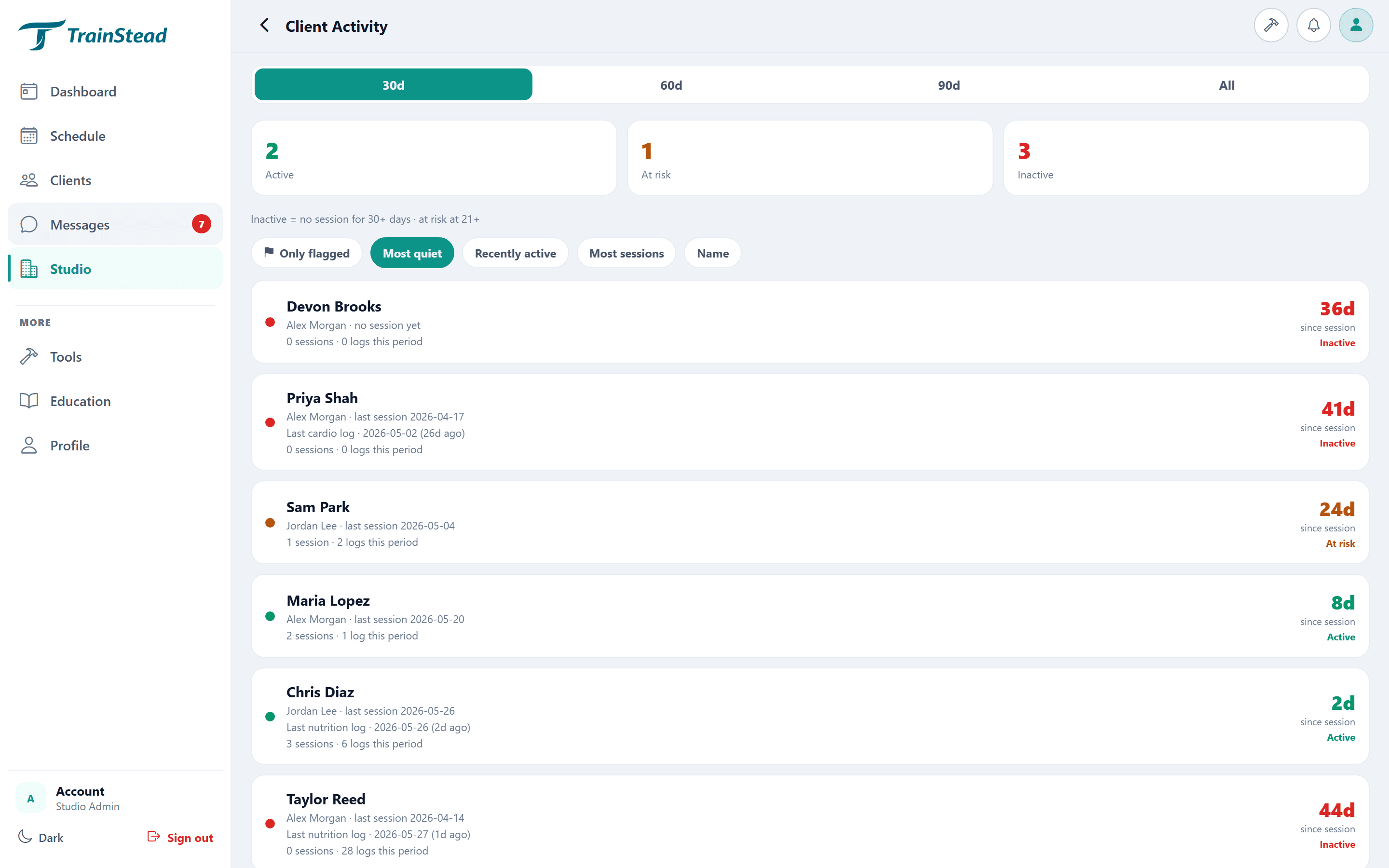
Your clients log their workouts, nutrition, and cardio in their own companion app. You see all of it, including who's falling behind, so nobody drifts between appointments.
The gap most software ignores
Most tools go quiet the moment a client walks out the door. You program the session, they leave, and you've got no idea what happens until they show up again, if they show up. The clients who quietly stop logging are usually the same ones who quietly cancel a month later.
How the loop works
You assign it.
Build the workout, set the nutrition targets, and it lands in your client's app automatically.
They log it.
Clients check off workouts, log meals, and record cardio from their phone, wherever they are.
You see it.
Every log rolls up in your dashboard in real time, including a clear view of who's gone quiet.
Catch the drift early
TrainStead surfaces the clients who've stopped logging so you can reach out before a slow week turns into a cancellation. A quick message when someone slips keeps them engaged and shows them you noticed. That's the difference between a client who renews and one who ghosts.
Frequently asked questions
How do clients log workouts and nutrition?
Through their own TrainStead companion app. They check off workouts, log meals, and record cardio, and it all rolls up in your dashboard in real time.
Can I see which clients have stopped logging?
Yes. TrainStead surfaces the clients who've gone quiet so you can reach out before a slow week turns into a cancellation.
The other half of the story
The logging data your clients create here is exactly what powers TrainStead's at-risk alerts. See how retention works, or head back to all features.
Ready to close the loop?
Start free, no card required.